SuperStarter Review - The Ultimate Next.js SaaS Boilerplate
SmolSaas: Choosing Between Speed and Customization in SaaS Boilerplates
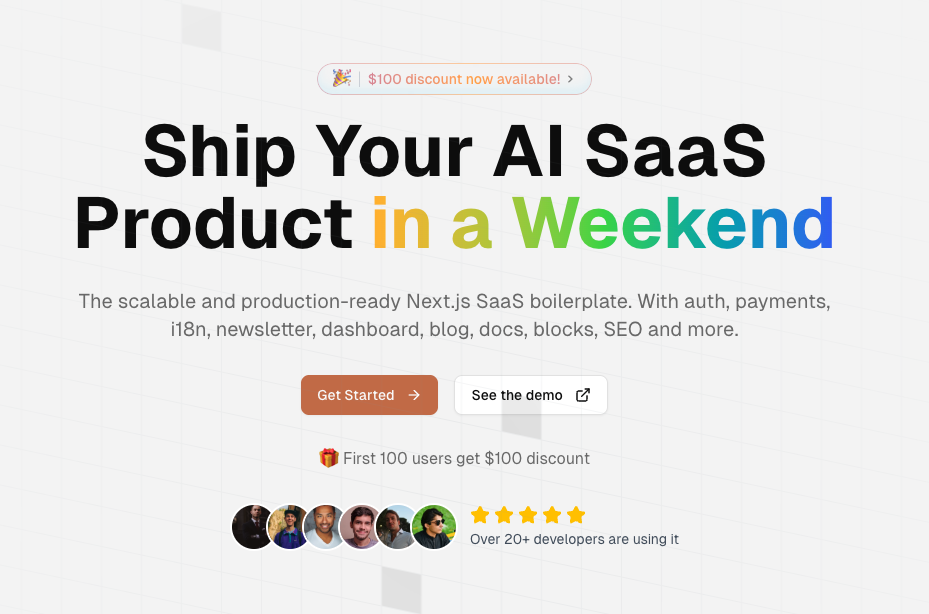
Building a SaaS product involves a paradox: you need infrastructure fast, but the infrastructure choices you make in week one constrain what you can build in month six.
SmolSaas resolves this by making specific infrastructure decisions for you: authentication through Clerk, payments through Stripe/Paddle, database through Prisma + Neon, deployment on Vercel. These choices aren't arbitrary. They're optimized for a specific workflow: ship a product within weeks, not months.
But this optimization comes with tradeoffs. The faster you go, the less flexibility you have later.
This review examines what SmolSaas gets right, where the constraints matter, and whether the speed gains justify the locked-in infrastructure choices.
The Infrastructure Decision Problem
Most SaaS founders don't realize their biggest time investment in the first month isn't building features. It's making infrastructure decisions.
You need to pick: authentication provider (Auth0? Supabase? Clerk? Roll your own?). Payment processor (Stripe? Paddle? LemonSqueezy?). Database (Postgres? MongoDB? Firebase?). ORM (Prisma? Drizzle? TypeORM?). Hosting (Vercel? AWS? Fly.io?).
Each decision blocks the others. Pick the wrong auth provider and payment integration becomes 10x harder. Pick the wrong database and scaling behavior becomes an afterthought.
Most founders spend 1-2 weeks evaluating options, then another week implementing. By the time you're ready to build actual product logic, you've lost 15% of your initial runway to infrastructure debate.
SmolSaas eliminates this by making the decisions for you. The tradeoff: you inherit the choices, even if you'd prefer something different later.
What SmolSaas Provides
The boilerplate includes:
Authentication: Clerk integration with pre-built login/signup flows, email verification, and social login (Google, GitHub)
Payments: Stripe or Paddle integration with subscription management, invoice generation, and webhook handling
Database: Prisma ORM with PostgreSQL (Neon) pre-configured
Frontend: Next.js 15 with React 19, TypeScript, Tailwind CSS 4, shadcn/ui components
Admin Dashboard: Pre-built admin panel for user management, subscription oversight, and basic analytics
Email System: React Email + Resend integration with transactional email templates
Deployment: Vercel-optimized, one-click deployment
Documentation: API reference, setup guides, and architectural explanations
This is everything you need to launch a basic SaaS product. No decisions required. No building authentication from scratch. No payment webhook confusion.
Where SmolSaas Saves the Most Time
Week 1: Authentication is handled. You don't spend days debugging JWT tokens or OAuth flows. Clerk's managed infrastructure means fewer edge cases to handle.
Week 2: Payments are working. Stripe webhooks are configured. Subscription state is synced with user accounts. You can accept money immediately.
Week 3-4: You build features instead of infrastructure. The admin dashboard exists. User management exists. Email sending exists.
Without SmolSaas, these three weeks would be: Week 1 (pick auth provider, evaluate options, implement), Week 2 (debug auth edge cases), Week 3 (pick payment processor, implement webhooks, handle webhook retries), Week 4 (finally start feature work).
SmolSaas compresses this by 50-60%.
The Constraint Tradeoff
Speed has costs, and they appear later.
Clerk Lock-In: If you later realize you need a specific authentication behavior (IP-based access control, custom session management), Clerk might not support it natively. You're locked into Clerk's feature set.
Stripe Assumes US/Western Pricing: If you later expand to markets with different taxation or payment preferences, Stripe's rules might not fit. Paddle has different constraints.
Prisma vs. Drizzle Philosophy: Prisma is developer-friendly but opinionated about data modeling. If you later need raw SQL for performance optimization or complex queries, Prisma's abstraction becomes a constraint rather than a helper.
Vercel Coupling: The boilerplate assumes Vercel deployment. Moving to AWS, Fly.io, or self-hosted later requires reworking environment configuration and deployment scripts.
Monolithic Architecture: The boilerplate is a single Next.js app handling frontend, API, webhooks, and admin panel. Scaling this architecture later (microservices, separate API layer, background job queues) requires significant refactoring.
These constraints aren't problems initially. They become problems when you try to optimize past the boilerplate's design assumptions.
Practical Onboarding Experience
Starting a new SmolSaas project:
- Clone the repository
- Copy
.env.exampleto.env.localand fill in: Clerk API keys, Stripe keys, Neon database URL - Run
pnpm install && pnpm db:push - Run
pnpm dev
Total time: 10 minutes assuming you already have those credentials set up.
The happy path is smooth. You have a working SaaS app immediately. The question isn't whether it works—it does. The question is whether it works exactly how you want it to.
For founders who want generic SaaS (user accounts, subscriptions, email sending, admin panel), it works perfectly.
For founders with specific requirements (custom authentication flows, specific payment requirements, non-standard database schemas), the boilerplate becomes constraining rather than helpful.
Code Organization and Extensibility
The codebase is well-organized:
app/— Next.js pages and API routescomponents/— React components, subdivided by featurelib/— Utilities, database helpers, email templatestypes/— TypeScript type definitionsdb/— Database schema and migrations (Prisma)
The structure makes sense. Adding features is straightforward: create a component, add an API route, wire it into the page.
Modifying infrastructure is harder. Want to switch from Clerk to Auth0? You'd need to replace the Clerk middleware, update the session handling, rewrite the login components. It's not impossible, but it's not trivial.
Who Wins With SmolSaas
Founders focused on speed: If you want a working SaaS product in one weekend, SmolSaas delivers. The infrastructure is solved. You can launch immediately.
First-time SaaS builders: If you've never built a SaaS product before, the infrastructure decisions are overwhelming. SmolSaas's choices are reasonable. You learn the SaaS architecture by using proven patterns.
Bootstrapped teams with limited runway: Every week saved is a week of runway preserved. SmolSaas's speed advantage compounds over a 3-6 month runway.
Generic SaaS products: If your product doesn't require exotic authentication or payment mechanics, SmolSaas's choices fit perfectly.
Who Should Avoid SmolSaas
Teams with specific infrastructure requirements: If you need a particular database, authentication system, or payment processor, forcing SmolSaas's choices creates friction.
Products requiring custom scaling: If you're building something that will need custom infrastructure optimization from day one, the monolithic architecture is constraining.
Multi-tenant SaaS: SmolSaas's architecture is single-tenant-friendly. Building multi-tenant from this boilerplate requires significant work.
Teams that iterate on architecture: If your infrastructure philosophy involves trying different tech stacks, SmolSaas's locked-in choices are frustrating.
Technical Quality
The code is clean and follows Next.js conventions. TypeScript is used throughout. Components are modular. Naming is clear.
This matters because you're not just using the boilerplate—you're maintaining it. Reading and modifying the code should be straightforward, and it is.
The documentation is decent but not comprehensive. Basic API usage is explained. Advanced customization is less documented.
Pricing Reality
SmolSaas costs money ($149 Pro / $249 Ultra). This is a one-time purchase, not a subscription.
The value calculation:
- Save 3-4 weeks of infrastructure work
- Your hourly rate: $50-200/hour
- Value: $6,000-$32,000
At $149, it's a no-brainer IF those weeks would otherwise be spent on infrastructure. It's unnecessary if you already have boilerplate code you reuse.
Final Assessment
SmolSaas succeeds at what it promises: compressed infrastructure setup for SaaS products. The speed gains are real. The constraints are real.
Use it if you need speed more than flexibility. Skip it if you have specific infrastructure requirements or want to learn SaaS architecture from first principles.
For most first-time SaaS founders with a tight timeline, SmolSaas is a reasonable choice.
Want to launch a SaaS in weeks instead of months? Get SmolSaas and skip the infrastructure boilerplate.
AIChatOne Review - All-in-One AI Assistant Chrome Extension
Axo Analytics Review - Privacy Focused Website Analytics Without Cookies
Follow for new blogs
Subscribe to our blog
Subscribe to Newsletter
Subscribe to our newsletter to get the best products weekly.